

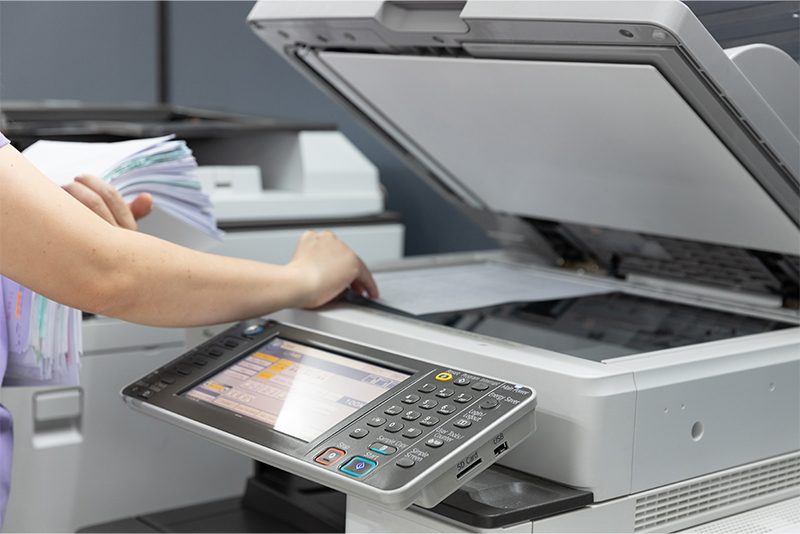
Scan-to-email is one of those workflows nobody thinks about until it stops. Someone walks to the copier, scans a signed contract, and expects it in their inbox a moment later. Microsoft 365 scan-to-email depends on how that device signs in to the mail service, and Microsoft is changing the rules. Basic Authentication for SMTP AUTH in Exchange Online is being phased out, and OAuth 2.0 for printers is the supported replacement. Nothing breaks today. The organizations that plan for it now are the ones that will never notice the switch.
What Microsoft is changing
Basic Authentication is the old, simple method. A device or application stores a username and password, then sends those credentials with every message it submits. It works, and it is exactly what an attacker looks for, because a password saved in a copier is a password that can be taken and reused somewhere else.
Microsoft is replacing it with Modern Authentication, better known as OAuth 2.0. Instead of a stored password, the device presents a short-lived token issued by Microsoft Entra ID. Microsoft explains the reasoning and the wider scope of the change in its Exchange Online Basic authentication deprecation guidance.
Microsoft’s timeline for Microsoft 365 scan-to-email
Microsoft published an updated SMTP AUTH Basic Authentication deprecation timeline in January 2026:
- Now through December 2026: Basic Authentication for SMTP AUTH continues to work, and behavior is unchanged.
- End of December 2026: it is disabled by default for existing Microsoft 365 tenants. Administrators can temporarily re-enable it after that point, but that is a bridge, not a fix.
- New tenants created after December 2026: Basic Authentication is unavailable by default, and OAuth 2.0 is the supported method.
- Second half of 2027: Microsoft will announce the final removal date.
This is not an emergency, but the runway is shorter than it looks once firmware checks and testing across a fleet are added. Starting now is what keeps it a routine project instead of a year-end rush.
Who may be affected
Your organization may be affected if it uses Microsoft 365 or Exchange Online and any of the following send email with a saved password:
- a copier or multifunction printer that scans to email
- device alerts or notifications
- meter or supply notifications
- an application that sends through smtp.office365.com
Two points are worth repeating internally. First, this is a Microsoft change, not a change made by your print provider or your device manufacturer. Second, Google Workspace customers are not affected by this Microsoft change.
What IT teams should do now to move to OAuth 2.0 for printers
- Inventory what sends mail. Include copiers, multifunction printers, scanners, and any line-of-business application pointed at smtp.office365.com.
- Run the SMTP AUTH clients report in the Exchange admin center to find the accounts still using Basic Authentication.
- Confirm firmware and OAuth 2.0 support model by model, using the manufacturer’s official model-specific guidance. Support varies by manufacturer and by model, and there is no universal fix. FlexTG keeps the current manufacturer guidance in one place on its Microsoft 365 scan-to-email update page.
- Update firmware, configure OAuth 2.0, and test a real scan to a real mailbox well before December 2026.
- Plan the exceptions. If a model will not support OAuth 2.0, work with your email administrator and your print provider on a supported alternative, such as a Microsoft 365 SMTP relay connector or the manufacturer’s connector utility.
Why your print provider should be raising this with you
Every print service provider should be alerting customers to this change rather than waiting for tickets. A provider knows the installed fleet: which models sit in which buildings, which ones need firmware, and which departments depend on scan-to-email and device notifications every day. That knowledge is the difference between a planned firmware pass and a scramble in January.
If your provider has not mentioned it, ask. Send your device list to whoever services your equipment and ask which models are ready and which are not.
It also helps to know what failure looks like, in case you are reading this after the fact. A scan simply never arrives, and affected devices can return the error “550 5.7.30 Basic authentication is not supported for Client Submission.” Users should not change device email settings themselves. They should tell IT or the email administrator which device and which function did not work.
The updates you never hear about are the expensive ones
One authentication change is manageable. The pattern behind it is the real issue. Platform vendors keep adjusting defaults and deadlines, and printers and copiers are network endpoints caught in the middle of those decisions. If nobody is tracking those endpoints on your behalf, the head of IT learns about the next change from a user whose scan never arrived, in a week that was already full. A provider who watches for changes like this, maps them to your actual fleet, and reaches out first turns a future headache into a scheduled task.
Questions about this change? Contact FlexTG
FlexTG maintains a customer page for this change with the timeline, the affected-device checklist, and links to official manufacturer guidance: www.flextg.com/oauth.
If you have questions about your own devices, or you would like to talk through what a managed print provider does when technology changes like this arrive, contact FlexTG or call 888-353-9774. Customer or not, it is better to hear about this now than on the morning a scan does not arrive.